
Key Takeaways
- A legally valid invoice needs seven specific fields — business details, client details, invoice number, dates, itemized charges, totals, and payment terms — and missing any one of them is the single biggest reason payments get delayed.
- Sequential invoice numbering (INV-2026-001, INV-2026-002) isn’t just organizational — it’s what accountants and tax authorities expect to see during any audit or dispute.
- Freelancers who send invoices within 24 hours of finishing work get paid noticeably faster than those who wait, simply because delay compounds delay on the client’s end too.
- This guide includes a ready-to-copy email template for sending your invoice, so you’re not staring at a blank message wondering how to phrase it.
A freelance graphic designer named Sara wraps up a logo project for a client on a Tuesday. She’s relieved to be done, closes her laptop, and tells herself she’ll send the invoice “tomorrow morning.” Tomorrow turns into three days, three days turns into a week, and by the time she actually writes it, she’s rushing, unsure what to include, and copying an old invoice from six months ago hoping the format still holds up. This happens constantly, and it’s rarely about laziness — it’s about not having a clear, repeatable process for how to write an invoice in the first place. By the end of this guide, you’ll know exactly what fields a legally sound invoice needs, how to number them correctly, what to say in the email you send it with, and the specific mistakes that quietly delay payment on invoices that look “fine” at first glance.
What Makes an Invoice Legally Valid
A legally valid invoice requires seven core elements: your business name and contact information, your client’s name and address, a unique invoice number, the issue date and due date, an itemized description of goods or services provided, the subtotal with any applicable tax clearly shown, and your accepted payment methods. Missing any of these can create real problems — from a client legitimately delaying payment because they can’t process an incomplete document, to tax compliance issues if you’re ever audited.
Why “Valid” Doesn’t Mean “Fancy”
A lot of freelancers assume a valid invoice needs a polished design or professional software behind it. It doesn’t. What makes it valid is the information it contains, not how it looks. A handwritten invoice with all seven fields is more legally sound than a beautifully designed PDF missing a due date or invoice number. For US-based independent contractors, this invoice is also the paper trail behind the 1099 income you’ll report at tax time, so keep copies even after payment clears. For UK and EU freelancers registered for VAT, your invoice must show your VAT registration number and display the VAT amount as a separate line from your subtotal — combining them into one number won’t satisfy HMRC or EU tax requirements, and it’s one of the more common invoice mistakes that trips up newly VAT-registered freelancers.
The 7 Fields Every Invoice Must Have
| Field | Why It Matters | What Goes Wrong Without It |
|---|---|---|
| Business name & contact details | Confirms who’s billing and how to reach you | Client can’t verify the sender or follow up with questions |
| Client name & address | Ties the invoice to the correct account/project | Invoice gets misfiled or ignored in larger companies |
| Invoice number | Tracks the invoice for accounting and tax records | Disputes become harder to resolve, audits flag inconsistency |
| Issue date & due date | Sets a clear payment deadline | Payment defaults to “whenever,” and Net 30 quietly becomes Net 60 |
| Itemized description | Shows exactly what was delivered | Clients question or dispute the charge, delaying payment |
| Subtotal, tax, total | Shows the math clearly, separates tax from service cost | Tax compliance issues, confusion over final amount owed |
| Payment methods/terms | Tells the client exactly how and when to pay | Client has to ask you how to pay, adding days to the process |
The Description Field Deserves More Attention Than It Gets
Most invoices fail here first. “Design work — $800” tells a client nothing verifiable. “Logo design: 3 concept drafts, 2 rounds of revisions, final vector files delivered — $800” gives them something concrete to approve against their own memory of the project, and it’s the single easiest change that reduces “can you clarify this charge” emails.
How to Number Your Invoices Correctly
Use a sequential format like INV-2026-001, incrementing by one for every new invoice you send, regardless of client — this is the numbering convention accountants and tax authorities expect, and it protects you if a client ever disputes a charge or an invoice goes missing.
Why Sequential Numbering Actually Matters
The invoice number matters more than most freelancers realize. Restarting the sequence each year (INV-2026-001 through INV-2026-0XX, then resetting to INV-2027-001) keeps your records clean and makes year-end bookkeeping dramatically simpler. Gaps or duplicate numbers in your sequence are one of the first things that look sloppy during any kind of financial review, whether that’s your own accountant or a tax authority. If you invoice multiple clients, don’t restart numbering per client — one continuous sequence across all clients is what most accounting software and tax systems expect to see, and it’s far easier to track later than trying to remember which client is on which separate numbering system.
Setting Payment Terms That Get You Paid
Net 30 means payment is due 30 days after the invoice date, and it’s the default term most US businesses expect on invoices from outside vendors and freelancers.
When Net 30 Isn’t Actually the Right Call
Most freelancers set Net 30 automatically because it sounds professional, but for project-based work under $500, Due on Receipt or Net 7 is more practical and closes cash flow gaps far faster than waiting a full month for money you’ve already earned. Save Net 30 for ongoing client relationships or larger corporate invoices where the client’s own accounts payable department runs on a fixed cycle you can’t change anyway. Net 15 and Net 60 exist too — Net 60 shows up mostly with larger companies whose internal payment processes are simply slower, not a reflection of your invoice or your relationship with them. Whatever term you choose, state it explicitly on the invoice itself — “Payment due within 30 days” removes any ambiguity a vague “please pay promptly” leaves wide open.
Invoice Formatting That Looks Professional
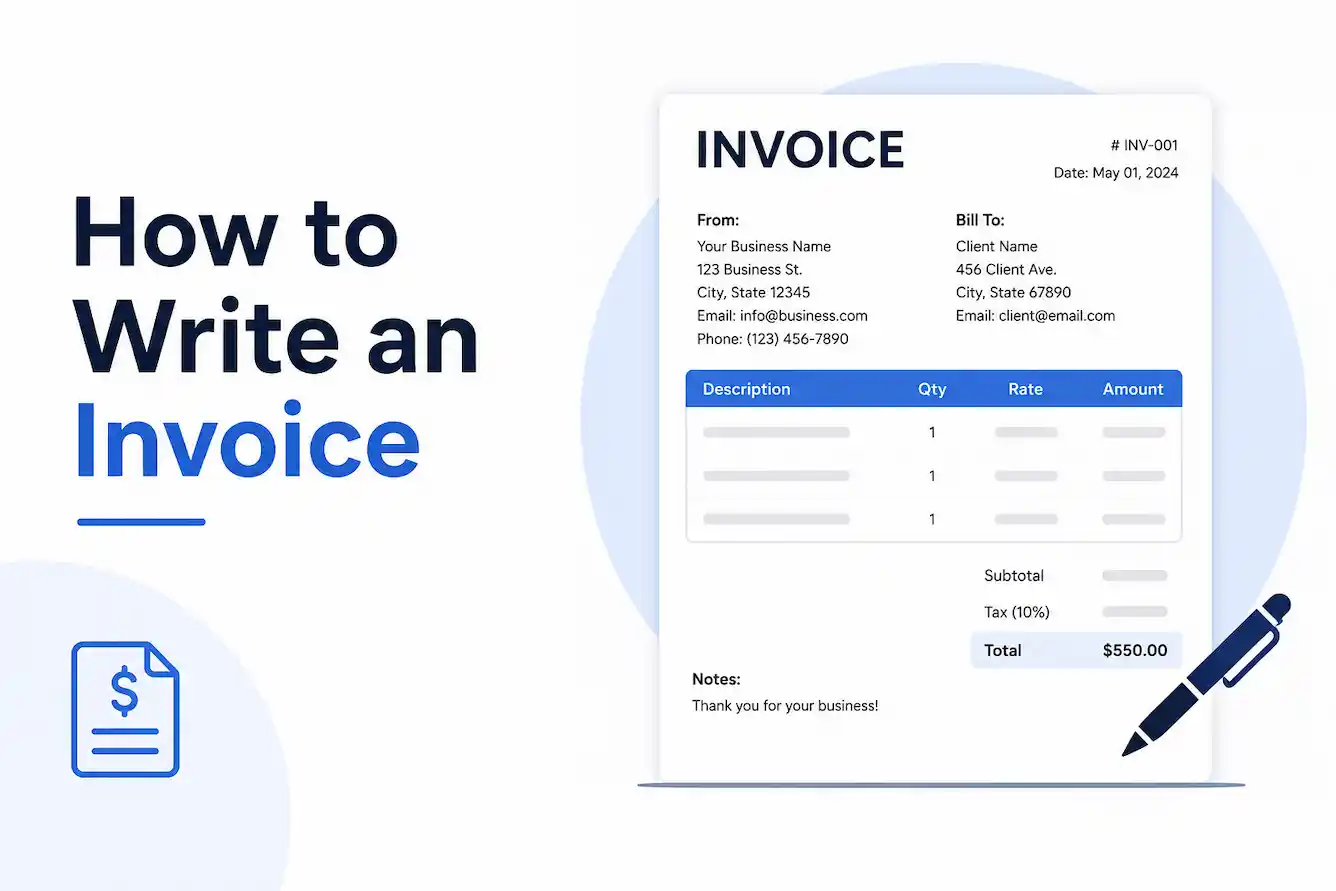
A professional-looking invoice needs clear visual hierarchy — your business info and logo at the top, invoice number and dates clearly visible, an itemized table in the middle, and totals clearly separated at the bottom.
Why Formatting Actually Affects Payment Speed
Professional-looking invoices get paid faster — not because clients deliberately deprioritize ugly invoices, but because a well-structured invoice with clear due dates and payment instructions removes every excuse for delay. A cluttered invoice with the due date buried in a paragraph, or payment instructions missing entirely, gives a client’s accounts payable team a legitimate reason to set it aside until someone has time to figure it out. Adding a logo, even a simple text-based one, signals legitimacy to a client’s own bookkeeping process, since it visually distinguishes your invoice from a template scam or spam attempt. PDF format is the standard expectation — a Word document or plain email text reads as less finished and can format inconsistently across different email clients and devices.
Common Invoice Mistakes That Delay Payment
The most common invoice mistakes are missing due dates, vague line-item descriptions, inconsistent invoice numbering, and unclear payment instructions — each one gives a client a legitimate reason to pause rather than pay immediately.
The Mistake Almost Nobody Talks About: Sending It Too Late
Freelancers who send invoices within 24 hours of completing work get paid noticeably faster than those who wait several days or weeks, because delay on your end often triggers delay on the client’s end too — an invoice that arrives promptly while the work is still fresh in the client’s mind gets processed faster than one that shows up as an afterthought weeks later, competing with newer priorities in their inbox. Other frequent mistakes: forgetting to specify the currency on international invoices, not stating late fee terms upfront (which can make them unenforceable later), and using a generic “thank you” email subject line that gets buried instead of something identifiable like “Invoice #INV-2026-014 — [Your Business Name].”
How to Email an Invoice (With a Ready Template)
Send your invoice as a PDF attachment with a clear, specific subject line and a short email body that states the amount and due date directly — don’t make the client open the attachment just to find basic details.
Copy-Paste Email Template
Subject: Invoice #INV-2026-014 — [Your Business Name]
Hi [Client Name],
Thanks again for the opportunity to work on [project name]. Please find attached invoice #INV-2026-014 for $[amount], due by [due date].
Payment can be made via [payment method — bank transfer, PayPal, etc.]. Let me know if you have any questions.
Best,
[Your Name]
This template works because it front-loads the two things a client’s accounts payable process actually needs immediately — the amount and the due date — without forcing them to open the PDF first just to triage the email.
Frequently Asked Questions
How do I fill out an invoice for the first time?
Start with your business details at the top, add the client’s information below it, assign a sequential invoice number, list your services with clear descriptions and rates, then total everything with tax and payment terms clearly stated.
How do you send an invoice through email?
Attach the invoice as a PDF, use a specific subject line like “Invoice #[number] — [Your Business Name],” and state the amount and due date directly in the email body so the client doesn’t need to open the attachment to find basic details.
What should be included in an invoice?
Seven core fields: business details, client details, a unique invoice number, issue and due dates, itemized charges, subtotal with tax, and accepted payment methods.
How do I create an invoice number if I’ve never used one?
Start with a sequential format like INV-2026-001 and increment by one for every new invoice across all clients, restarting the sequence each new calendar year.
What’s the difference between an invoice and a receipt?
An invoice requests payment for goods or services already provided; a receipt confirms that payment has already been received — they serve opposite ends of the same transaction.
Do I need a business registration to send a valid invoice?
No — sole traders and individual freelancers can invoice under their own name and address without a registered company, as long as the seven core fields are present.
How do I write an invoice for services rendered versus products sold?
For services, itemize by task or hours worked with a rate; for products, itemize by unit quantity and price per unit — both still need the same seven core fields regardless of what’s being billed.
Is a PDF invoice more legitimate than a Word document?
Not legally, but practically — a PDF displays identically across every device and email client, while a Word document can shift formatting depending on the software opening it, which can look less polished to a client’s finance team.
If you’re sending your first invoice today, the single fastest fix is sending it within 24 hours of finishing the work and using the email template above instead of writing one from scratch. Skip the manual formatting entirely and generate a complete, professional invoice in under 3 minutes with our Free Invoice Generator, or check out our breakdown of Net 30 vs Net 15 payment terms if you’re still deciding what terms to set.
Written by Muhammad Hashir — Founder, playgametory. Last Updated: July 2026.